Almost every growing workshop eventually asks this question: “We’re running a 3 axis CNC router and it works fine. Do we really need a 5 axis machine?”
The honest answer is that many workshops don’t, and a few absolutely do. A 5 axis machine can open up new products and new customers, but it also costs more, demands more programming skill and can sit underused if your work doesn’t call for it.
At Kataria Tech Zone, we help workshops match their machine to their real production needs, not to the biggest specification sheet. This guide explains the differences, the work each machine suits and the signs that an upgrade is worth it. Along the way, it will help you avoid an expensive mismatch.
What Is a 3 Axis CNC Router?
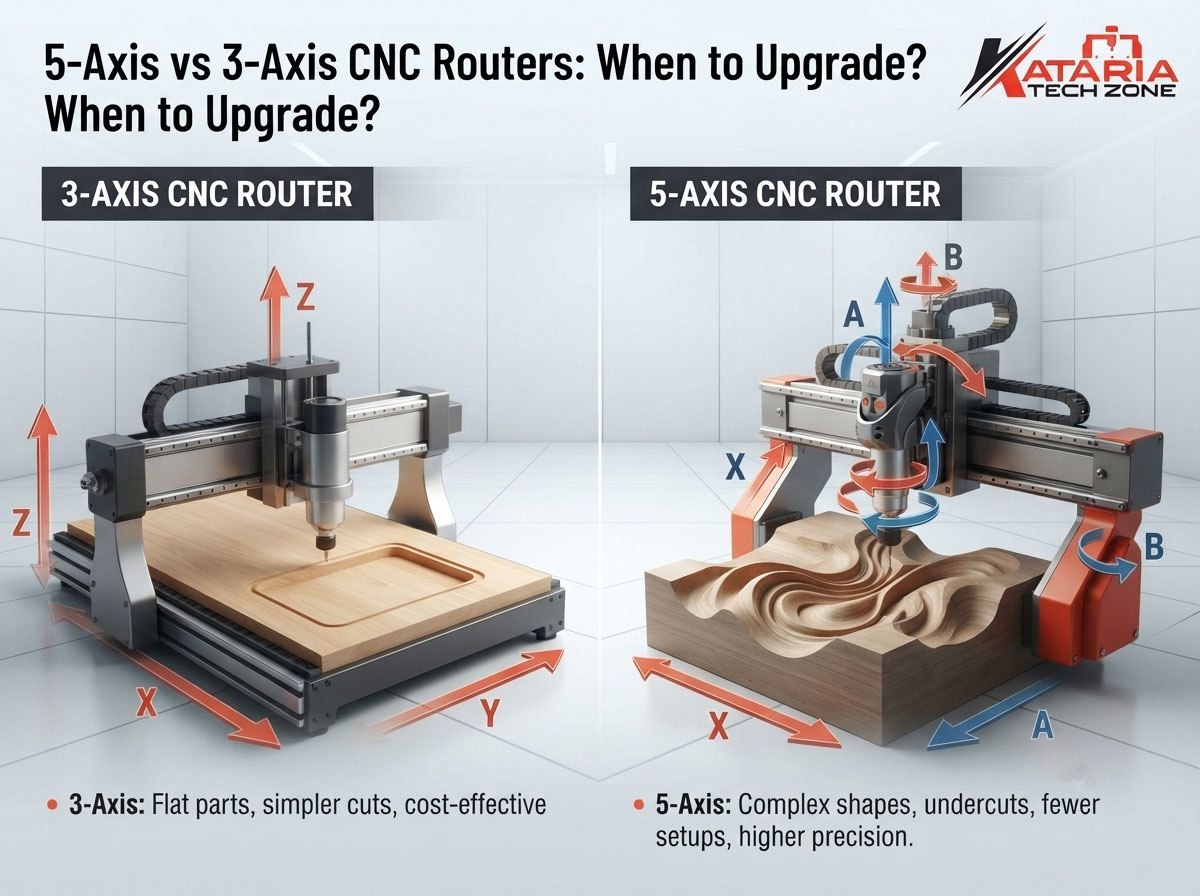
A 3 axis CNC router moves the cutting tool along three linear directions:
- X axis: left to right
- Y axis: front to back
- Z axis: up and down
The spindle always points straight down at the workpiece. The tool can travel anywhere in the working area, but it can only approach the material from above.
This setup handles an enormous range of work: sheet cutting, nesting, 2D profiling, pocketing, engraving, V-carving and shallow 3D relief carving. It is the backbone of most furniture factories, signage shops and decorative panel workshops.
Our CNC router range is built around this proven configuration for woodworking and sheet-material applications.
Strengths of 3 axis machines
- Lower purchase price and lower running cost
- Simpler programming: most CAD/CAM workflows are straightforward
- Faster setup for sheet and panel production
- Easier operator training: a new operator can become productive quickly
- Lower maintenance complexity since there are fewer moving parts to calibrate
Limitations of 3 axis machines
- The tool can only cut from the top, so undercuts and deep side features are not possible in one setup
- Complex 3D parts need to be flipped and re-fixtured, which adds time and risks alignment errors
- Steep walls leave stair-step marks that need hand finishing
- Deep cavities may need very long tools, which can vibrate
What Is a 5 Axis CNC Router?
A 5 axis machine has the same three linear axes (X, Y, Z) plus two rotational axes. These typically tilt and rotate the tool head, or sometimes the table, so the cutter can approach the workpiece from almost any direction.
There are two ways 5 axis machines are used, and the difference matters when you decide whether to upgrade.
3+2 axis (positional 5 axis)
The machine tilts and locks the tool at a fixed angle, then cuts using the usual three axes. Then it repositions and repeats. You can machine multiple faces of a part in a single setup, but the rotary axes do not move during cutting.
Simultaneous 5 axis (continuous)
All five axes move together during the cut. The tool stays at the best angle against a curved surface the entire time. This is what produces smooth, flowing contours on sculptural parts, curved furniture components and complex molds.
Many workshops only ever need 3+2. Simultaneous machining is more demanding on software, programming skill and machine rigidity, so be clear about which of the two you are actually shopping for.
5 Axis vs 3 Axis CNC Router: Side-by-Side Comparison
| Factor | 3 Axis CNC Router | 5 Axis CNC Router |
|---|---|---|
| Axes of motion | X, Y, Z | X, Y, Z + two rotary axes |
| Tool approach | Vertical only | Multiple angles |
| Best for | Sheet work, panels, 2D/2.5D, shallow 3D | Complex 3D, undercuts, multi-face parts, molds |
| Setups per complex part | Often several | Often one |
| Programming difficulty | Low to moderate | High |
| Software cost | Lower | Higher (needs capable CAM) |
| Machine price | Lower | Significantly higher |
| Operator training | Short | Longer |
| Maintenance & calibration | Simpler | More involved |
| Typical throughput on flat sheet work | High | No real advantage |
The last row deserves emphasis. A 5 axis machine does not cut flat panels any faster than a good 3 axis machine. If most of your revenue comes from cabinet doors, nested panels, signage and wall decor, extra axes add cost without adding output.
Work That 3 Axis Machines Do Extremely Well
Before you consider an upgrade, take stock of how much you can already do on your current machine. Many workshops underuse their 3 axis routers.
- Furniture and cabinetry components: nesting, drilling patterns, joinery cuts
- Decorative panels and jali work: intricate 2D and 2.5D patterns
- MDF wall panels and moldings: see our guide on creating MDF wall panels and decorative molding using CNC technology
- Signage and lettering: cut-out letters, V-carved boards, logos
- Acrylic and plastics: with the right feeds and tooling, you can get clean edges. Our step-by-step guide to cutting and engraving acrylic on a CNC router covers this in detail.
- Relief carving: shallow 3D carvings on doors, headboards and temple panels
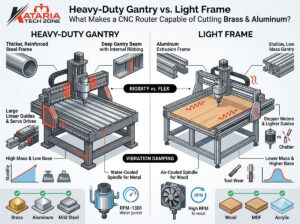
If your work is mostly in these categories, upgrading your tooling, your CAM workflow and your operator skills will usually give you more return than adding axes. Our post on choosing the right CNC router for your woodworking business is a good starting point for reviewing what you really need.
Work That Genuinely Needs 5 Axis Capability
There are real situations where 5 axis machining is not a luxury. These are the clearest ones:
1. Parts with undercuts or features on multiple faces
If a component needs machining on the top, sides and angled faces, a 3 axis machine requires multiple setups. Each re-fixturing introduces alignment error. A 5 axis machine can often complete the part in one clamping.
2. Complex sculptural and curved parts
Chair components, curved architectural elements, sculptural furniture and organic forms are the classic 5 axis work. Keeping the tool normal to the surface gives smoother finishes and cuts hand sanding time.
3. Mold, pattern and foam work
Workshops making molds for composites, foam patterns or casting forms benefit from continuous 5 axis cutting. Surfaces come out smoother and you can use shorter tools, which reduces vibration.
4. Deep cavities and steep walls
By tilting the tool, a 5 axis machine lets you use shorter, stiffer cutters on deep pockets. That means better finish, longer tool life and fewer breakages.
5. High-value, low-volume custom work
If you regularly take on complex one-off or short-run jobs that currently get rejected or outsourced, a 5 axis machine can turn those into profit centers.
6. Stone and heavy-material sculpture
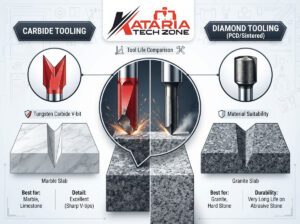
Carved stone elements such as temple pillars, sculptures and decorative architectural pieces can benefit from multi-angle access. If you are exploring this segment, see our CNC stone router machines and read our guide on expanding your workshop into marble and granite engraving.
7 Signs It’s Time to Upgrade to 5 Axis
Use this checklist honestly. If you tick three or more boxes, an upgrade deserves serious consideration.
- You are turning down jobs because your current machine can’t produce the geometry.
- You outsource complex parts and the outsourcing bill is growing every quarter.
- Multi-setup errors are costing you in rework, scrap or missed tolerances.
- Hand finishing takes more hours than machining on 3D parts.
- Customers are asking for curved or sculptural designs you can’t deliver profitably.
- Your 3 axis machines are already fully utilized on standard work, while complex jobs keep piling up.
- You have, or can hire, the skills to program and operate a more complex machine.
If none of these apply, a second or better-specified 3 axis machine will almost always outperform a 5 axis purchase.
5 Signs You Should NOT Upgrade Yet
Just as important are the warning signs that tell you to wait:
- Most of your jobs are flat sheet work. There is no throughput advantage here.
- Your current machine isn’t fully utilized. Fix scheduling, tooling and workflow first.
- You don’t have a CAM programmer with 5 axis experience, or a plan to train one.
- You haven’t priced the full cost of ownership. Machine price is only one line item.
- Your demand for complex work is speculative. Don’t buy capacity for orders you hope to win.
The Hidden Costs of Going 5 Axis
Many first-time buyers focus on the machine price and overlook everything around it.
Software. Capable 5 axis CAM software costs more and takes longer to learn. Simulation and collision checking become essential, because a tilted head can hit fixtures and clamps in ways that are hard to predict.
Training. Your operators and programmers need deeper skills. Budget for the learning period, during which productivity may dip.
Fixturing and workholding. Clamps and fixtures must stay clear of a tilting head. Parts may need different work-holding strategies.
Tooling. You will likely invest in a wider range of cutters, including longer-reach and specialty tools.
Maintenance and calibration. Rotary axes need precise calibration. Poorly maintained axes can quietly degrade accuracy.
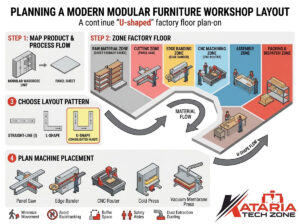
Power and installation. Larger, heavier machines may have higher electrical and foundation requirements. If you work in a smaller unit, our guide on planning a workshop layout for a modern modular furniture factory can help you plan for floor space and flow.
Add all of these up and think in terms of total cost of ownership, not just sticker price.
A Simple ROI Framework for the Decision
You don’t need a complicated spreadsheet to judge whether an upgrade makes sense. Work through these steps:
Step 1: Quantify what you’re losing today.
Estimate the monthly value of jobs you decline, plus what you pay to outsource, plus the cost of rework from multi-setup errors.
Step 2: Estimate the new revenue.
How many complex jobs per month could you realistically win and deliver with 5 axis capability? Use conservative numbers.
Step 3: Add the full cost.
Machine, software, training, tooling, fixturing, installation, maintenance and additional power.
Step 4: Calculate payback.
Divide total investment by the monthly gain (recovered outsourcing cost plus new margin plus savings from reduced rework). If payback stretches well beyond what you’re comfortable with, consider a staged approach.
A Practical Middle Path: Upgrade Within 3 Axis First
Before jumping to 5 axis, many workshops get big gains from improving their existing setup:
- Upgrade the drive system. Our comparison of servo motor vs stepper motor CNC routers explains how this affects speed, precision and reliability in production.
- Improve tooling. Better bits, correct speeds and feeds, and smart tool selection reduce breakage and improve finish.
- Add an automatic tool changer. This cuts idle time on multi-tool jobs.
- Improve dust extraction and vacuum holding. Better work-holding and clean cutting conditions improve repeatability.
- Upgrade CAM software and operator skills. Smarter toolpaths often unlock capability you didn’t know you had.
- Add a rotary attachment for some cylindrical work, where your parts allow it.
For many workshops, these steps deliver most of the benefit at a fraction of the cost.
Related Machines Worth Considering Alongside Your Router
A router upgrade doesn’t happen in isolation. Think about the whole production line:
- If edge finishing is your bottleneck, explore our edge banding machines.
- If panel cutting accuracy is the issue, see our panel saws.
- If you work with metal sign work or fine cutting and engraving, look at our laser machines.
Often, relieving a different bottleneck delivers a faster payback than adding axes to your router.
Choosing the Right Machine: A Quick Decision Guide
Choose a 3 axis CNC router if:
- Your work is mainly sheet, panel, signage, relief and 2.5D production
- You value speed, simplicity and a lower cost of ownership
- Your team is building CNC skills
- You want the fastest payback on a first or second machine
Consider a 3+2 axis machine if:
- You machine parts with features on several faces
- Multi-setup errors are hurting your quality
- You want more capability without the full programming burden of continuous 5 axis
Choose simultaneous 5 axis if:
- Sculptural, curved or mold work is a core revenue stream
- You have demand and skills in place
- Complex parts are currently being outsourced or declined
Frequently Asked Questions
Is a 5 axis CNC router always better than a 3 axis?
No. It is more capable for complex geometry, but it doesn’t cut flat sheet work faster. For panel and signage production, a well-specified 3 axis machine is often the better investment.
What is the main difference between 3 axis and 5 axis CNC routers?
A 3 axis machine moves the tool along X, Y and Z. A 5 axis machine adds two rotational axes, letting the tool approach the part from multiple angles.
What is 3+2 machining?
It is positional 5 axis machining: the machine tilts the tool to a fixed angle, locks it and cuts with three axes. It lets you machine multiple faces in one setup without needing full simultaneous motion.
Is 5 axis programming much harder?
Generally yes. It needs capable CAM software, careful collision checking and trained programmers. Plan for training time.
Can I start with a 3 axis machine and upgrade later?
Yes, and this is a common approach. Build skills, grow your customer base and move to 5 axis when demand clearly justifies it.
Do 5 axis machines cost much more?
Typically they cost significantly more, and the total cost includes software, training, tooling and maintenance, not just the machine.
How do I know which CNC router suits my workshop?
Review your product mix, your bottlenecks and your plans for the next two to three years. Our team at Kataria Tech Zone can help you work through this.
Final Thoughts
The 5 axis vs 3 axis question isn’t about which machine is “better.” It is about which machine is right for the work you do, and the work you want to win, over the next few years.
For most woodworking and sheet-material workshops, a high-quality 3 axis CNC router remains the most profitable core machine. For workshops moving into sculptural, multi-face or mold-making work, 5 axis capability can unlock higher-value jobs, provided you have the demand, skills and budget to support it.
At Kataria Tech Zone, we’d rather help you buy the right machine once than sell you the wrong one. Explore our full range of CNC router machines and CNC stone router machines, browse the shop, or contact our team for a recommendation tailored to your workshop. For more practical guides, visit the Kataria Tech Zone blog.